SCS Printing on Windows 11
SCS Computing Facilities uses a centralized print service, where you print to one queue and then release the print job at the printer
-
To install DSP-Departmental Printing from Software Center or Company Portal
- Click on the Windows icon on the Taskbar.
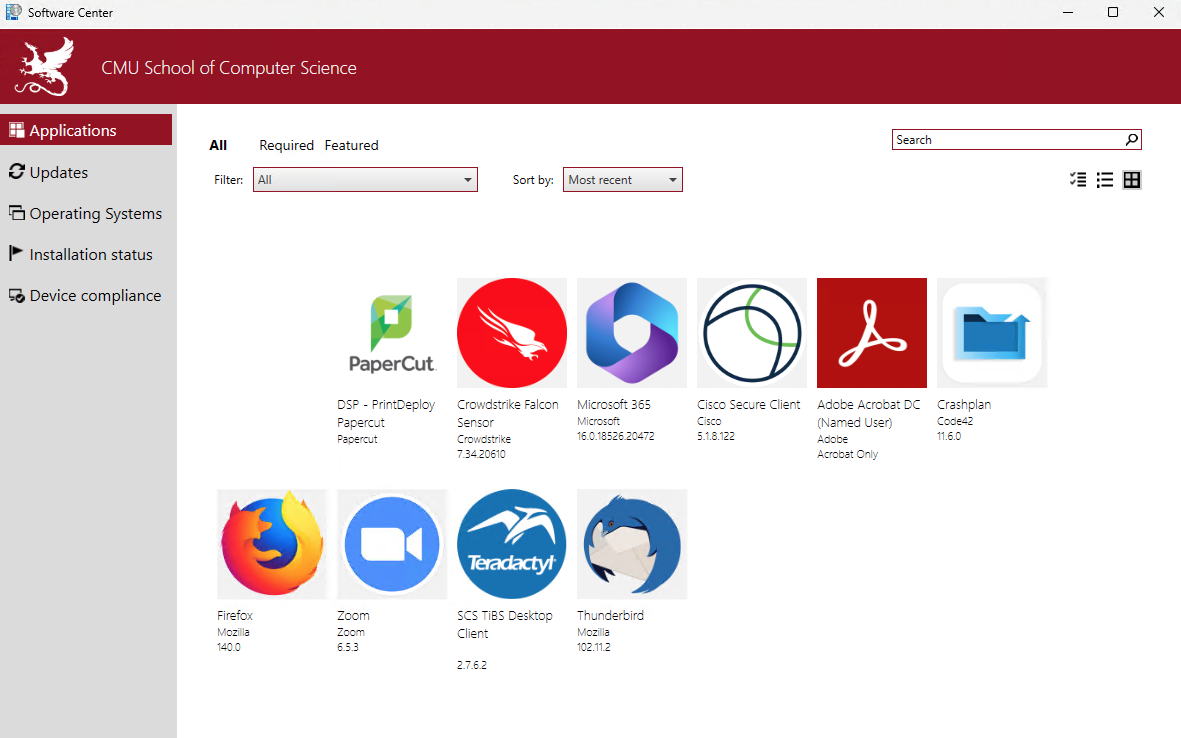
- Search for "Software Center" or "Company Portal"
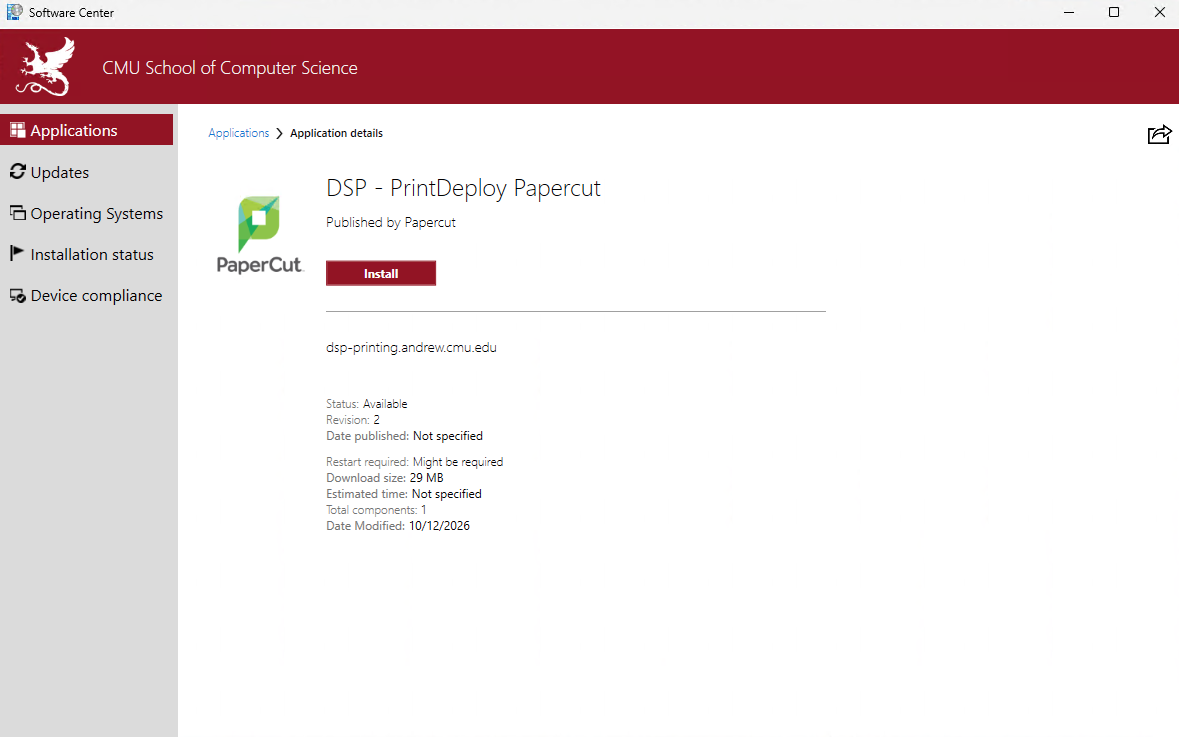
- Click on 'DSP - PrintDeploy PaperCut'
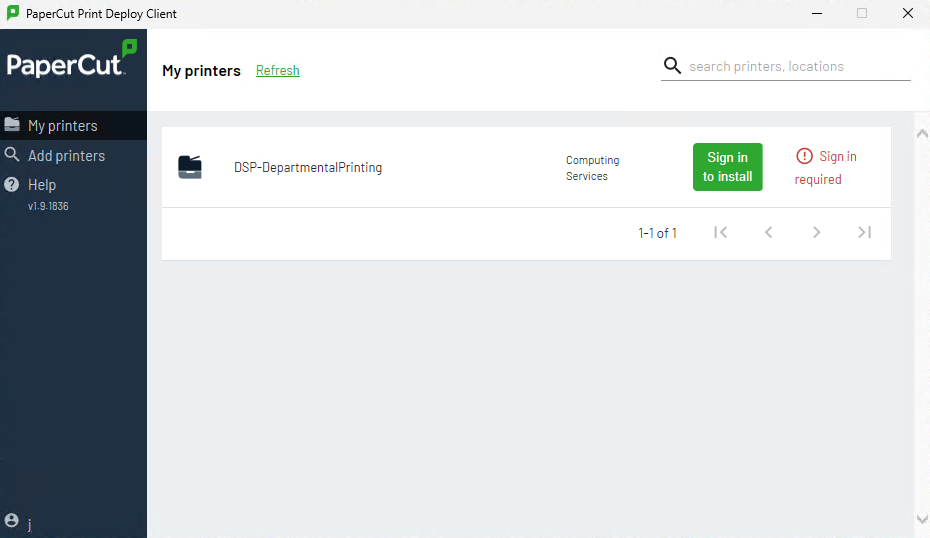
- The "PaperCut Print Deploy Client" window should appear shortly after installation completes.
If you are using a personal Windows computer, you will need to follow these instructions to add DSP-DeparmtentalPrinting
-
Click "Sign in to Install"
Authenticate with your Andrew ID username and password when prompted.
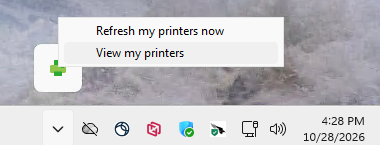
If you do not automatically see the "PaperCut Print Deploy Client" window shortly after installation completes then you can load it manually from your System Tray on the right side of the Taskbar. The icon may be hidden.
Need Help?
Was this page helpful?
Use this box to give us feedback on this webpage and its content. If you need a response, please include your Andrew ID.
Need technical support? Submit a ticket